Long 1:2.1
1000 x 2100 · 1:2.1
123
May be truncatedA fresh idea, composed and ready to saveQuiet Studio12.3K followersFollow
Quiet Studio12.3K followersFollow1000 x 2100 · 1:2.1
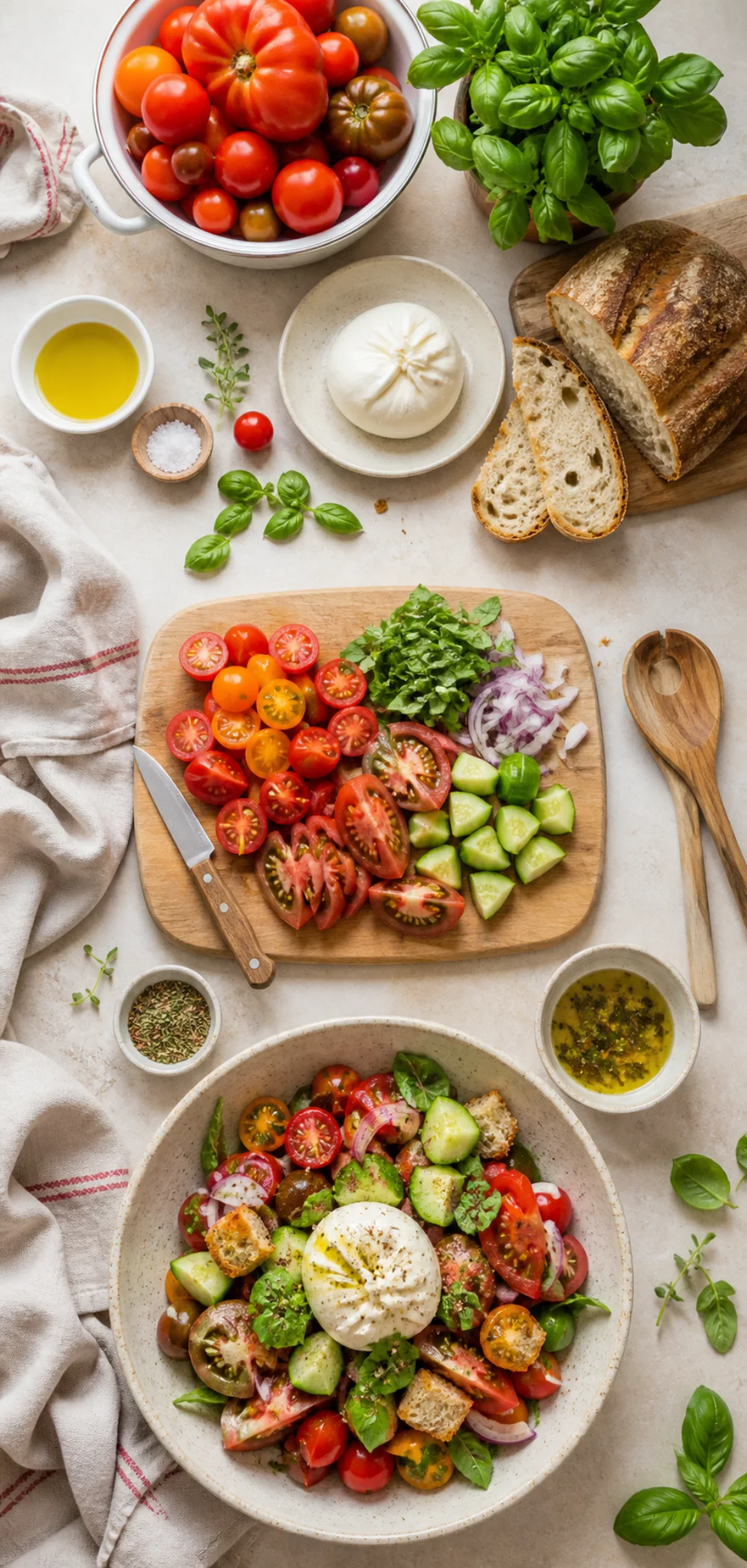
Prepare a long-form recipe, tutorial, checklist, or infographic on a 1000 x 2100 canvas. Map the hook, value, and close—and keep the essential message high.
Drag images here, or click to browse
Your images are processed locally in the browser.
Use the three-beat ruler and truncation note to check the full 1000 x 2100 story.
1000 x 2100 · 1:2.1
Quiet Studio12.3K followersFollowUse the three-beat ruler and truncation note to check the full 1000 x 2100 story.
Long-form planning
A Long Pin works when every vertical beat earns its space. The canvas is not a license to stack unrelated cards.
Very long Pins may be shortened in some feed contexts. Keep the headline and central value in the upper two-thirds and make the full image useful when opened.
promise a clear outcome
deliver the useful middle
summarize or guide onward
Plan a clear hook, useful middle, and closing destination down the canvas.
Remember that very long Pins may be shortened in some feed contexts.
Create an exact 1000 x 2100 PNG without uploading the source or adding a watermark.
Keep the strongest promise and most important context in the upper part of the image.
Use repeated alignment, spacing, and image scale to make the long canvas feel like one story.
If the content only needs one product or one photograph, a Square or Standard Pin is usually clearer and faster to scan.
Workflow
Choose one or more JPG, PNG, WebP, or other browser-readable image files.
Use the fixed page size or select another Pinterest format on the main tool.
Keep the complete image with padding, or crop edge to edge for a full canvas.
Check the Pinterest-style Pin card, then download the exact PNG locally.
This tool uses a 1000 x 2100 px canvas with a 1:2.1 aspect ratio for long recipes, tutorials, and infographics.
Very long Pins may be shortened in some feed contexts. Keep the headline and central value in the upper two-thirds and make the full image useful when opened.
Use the upper section for the hook, the middle for the main value or steps, and the lower section for a summary or next action.
Yes. Choose Fit to preserve the complete graphic and add a color or blurred background if its ratio differs.
Tool directory
Jump between custom, Instagram, Facebook, YouTube, TikTok, X, LinkedIn, and Pinterest image resizers without re-uploading your source image.
Resize any image to a custom width and height with fit, fill, stretch, and batch export.
All sizesResize posts, Stories, Reels, profile photos, and feed formats from one page.
FeedChoose portrait, square, or landscape post formats from one post-focused workflow.
9:16Fit a full photo into a 1080 x 1920 Story canvas without cropping.
9:16Prepare 9:16 Reels images, covers, and thumbnails with safe-zone previews.
1:1Resize a photo for the square profile frame and circular Instagram avatar crop.
4:5Convert an image to 4:5 or 1080 x 1350 for a tall Instagram feed post.
1:1Resize a photo to 1:1 for the classic Instagram square format.
1.91:1Fit wide photos into the 1.91:1 Instagram landscape post frame.
FacebookResize photos for Facebook profiles, feed posts, Stories, Reels, group covers, and event banners.
PostResize a photo to 1200 x 630 for Facebook feed posts and shared link images.
Group coverResize group cover banners to 1640 x 856 with desktop and mobile safe-zone previews.
Event coverResize event banners to 1920 x 1005 with mobile safe-zone and bottom overlay previews.
StoriesFit photos into a 1080 x 1920 Facebook Stories canvas with no-crop backgrounds and previews.
ReelsConvert photos to 1080 x 1920 Facebook Reels images with no-crop fit and safe-zone previews.
ProfileResize a photo for the Facebook profile square and preview the circular avatar crop.
YouTubeResize images for YouTube banners, thumbnails, profile pictures, Shorts, and community posts.
BannerResize channel art to 2560 x 1440 with safe-area and device crop previews.
ThumbnailConvert images to a focused 1280 x 720, 16:9 YouTube thumbnail with title-safe preview.
ShortsResize vertical cover images to 1080 x 1920 for YouTube Shorts and mobile-first title cards.
PostCreate 1080 x 1080 square images for YouTube community posts and channel updates.
ProfileResize a square 1:1 profile picture and preview the circular YouTube avatar crop.
TikTokResize photos for TikTok Photo Mode, square posts, profile pictures, and in-feed ads.
ProfileCreate a 200 x 200 square PFP and preview TikTok's circular avatar crop.
In-feed adResize ad images to 1080 x 1920 and check practical TikTok safe zones.
5 formatsChoose the exact X post, header, profile, vertical, or square format before resizing.
1200 x 675Resize one landscape X post to a fixed 1200 x 675 canvas.
1080 x 1350Resize one portrait X post to a fixed 1080 x 1350 canvas.
1080 x 1080Resize one square X post to a fixed 1080 x 1080 canvas.
1500 x 500Create a 1500 x 500 profile header and preview the avatar overlap before export.
400 x 400Resize a 400 x 400 square PFP and preview the circular X avatar crop.
Fit / 1200 x 675Fit a complete photo into one fixed 1200 x 675 X post canvas.
5 formatsResize profile photos, personal banners, company logos, company covers, and feed images with real LinkedIn previews.
1584 x 396Resize a personal background photo to 1584 x 396 and preview the profile-avatar overlap.
400 x 400Resize a square profile photo to 400 x 400 and inspect LinkedIn’s circular avatar display.
4 Pin sizesResize square, standard, vertical, and long Pins with no-crop backgrounds and realistic Pinterest previews.
1000 x 1500Resize an image to 1000 x 1500 and preview the recommended 2:3 Pinterest composition.
1000 x 1000Create a 1000 x 1000 square Pin with a product-centering guide and real Pin preview.
1080 x 1920Fit photos into a 1080 x 1920 vertical Pin with mobile-safe preview markers.
Tool directory
Jump between custom, Instagram, Facebook, YouTube, TikTok, X, LinkedIn, and Pinterest image resizers without re-uploading your source image.
Resize any image to a custom width and height with fit, fill, stretch, and batch export.
All sizesResize posts, Stories, Reels, profile photos, and feed formats from one page.
FeedChoose portrait, square, or landscape post formats from one post-focused workflow.
9:16Fit a full photo into a 1080 x 1920 Story canvas without cropping.
9:16Prepare 9:16 Reels images, covers, and thumbnails with safe-zone previews.
1:1Resize a photo for the square profile frame and circular Instagram avatar crop.
4:5Convert an image to 4:5 or 1080 x 1350 for a tall Instagram feed post.
1:1Resize a photo to 1:1 for the classic Instagram square format.
1.91:1Fit wide photos into the 1.91:1 Instagram landscape post frame.
FacebookResize photos for Facebook profiles, feed posts, Stories, Reels, group covers, and event banners.
PostResize a photo to 1200 x 630 for Facebook feed posts and shared link images.
Group coverResize group cover banners to 1640 x 856 with desktop and mobile safe-zone previews.
Event coverResize event banners to 1920 x 1005 with mobile safe-zone and bottom overlay previews.
StoriesFit photos into a 1080 x 1920 Facebook Stories canvas with no-crop backgrounds and previews.
ReelsConvert photos to 1080 x 1920 Facebook Reels images with no-crop fit and safe-zone previews.
ProfileResize a photo for the Facebook profile square and preview the circular avatar crop.
YouTubeResize images for YouTube banners, thumbnails, profile pictures, Shorts, and community posts.
BannerResize channel art to 2560 x 1440 with safe-area and device crop previews.
ThumbnailConvert images to a focused 1280 x 720, 16:9 YouTube thumbnail with title-safe preview.
ShortsResize vertical cover images to 1080 x 1920 for YouTube Shorts and mobile-first title cards.
PostCreate 1080 x 1080 square images for YouTube community posts and channel updates.
ProfileResize a square 1:1 profile picture and preview the circular YouTube avatar crop.
TikTokResize photos for TikTok Photo Mode, square posts, profile pictures, and in-feed ads.
ProfileCreate a 200 x 200 square PFP and preview TikTok's circular avatar crop.
In-feed adResize ad images to 1080 x 1920 and check practical TikTok safe zones.
5 formatsChoose the exact X post, header, profile, vertical, or square format before resizing.
1200 x 675Resize one landscape X post to a fixed 1200 x 675 canvas.
1080 x 1350Resize one portrait X post to a fixed 1080 x 1350 canvas.
1080 x 1080Resize one square X post to a fixed 1080 x 1080 canvas.
1500 x 500Create a 1500 x 500 profile header and preview the avatar overlap before export.
400 x 400Resize a 400 x 400 square PFP and preview the circular X avatar crop.
Fit / 1200 x 675Fit a complete photo into one fixed 1200 x 675 X post canvas.
5 formatsResize profile photos, personal banners, company logos, company covers, and feed images with real LinkedIn previews.
1584 x 396Resize a personal background photo to 1584 x 396 and preview the profile-avatar overlap.
400 x 400Resize a square profile photo to 400 x 400 and inspect LinkedIn’s circular avatar display.
4 Pin sizesResize square, standard, vertical, and long Pins with no-crop backgrounds and realistic Pinterest previews.
1000 x 1500Resize an image to 1000 x 1500 and preview the recommended 2:3 Pinterest composition.
1000 x 1000Create a 1000 x 1000 square Pin with a product-centering guide and real Pin preview.
1080 x 1920Fit photos into a 1080 x 1920 vertical Pin with mobile-safe preview markers.