Personal Banner
1584 x 396 (4:1)
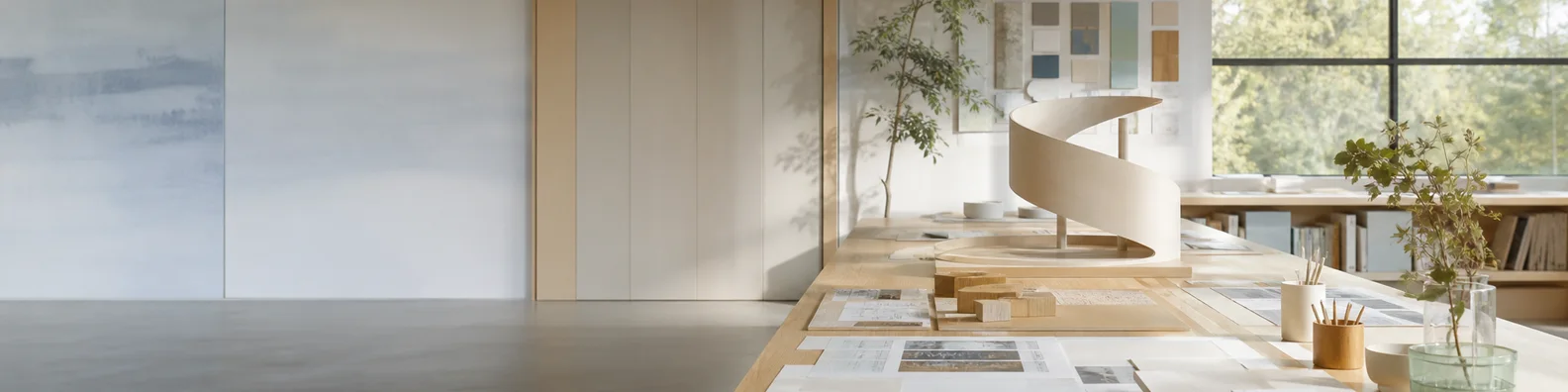
Safe content area

Alex MorganProduct designer creating clearer digital toolsSan Francisco Bay Area
ConnectMessageMore
LinkedIn image resizer
Resize one image for LinkedIn profile photos, personal banners, company logos, company covers, and feed posts. Preview the real placement before you download.
Drag images here, or click to browse
Your images are processed locally in the browser.
Upload an image to replace the demo and inspect the exact LinkedIn placement.
1584 x 396 (4:1)
Upload an image to replace the demo and inspect the exact LinkedIn placement.
2026 sizes
A compact cheat sheet for the personal and company formats shown in the supplied size reference, plus the high-intent landscape feed format.
| Format | Size | Ratio | Use |
|---|---|---|---|
| Profile Photo | 400 x 400 px | 1:1 | Personal profile picture displayed as a circle |
| Personal Banner | 1584 x 396 px | 4:1 | Personal profile background photo |
| Company Logo | 300 x 300 px | 1:1 | Company page identity image |
| Company Banner | 1128 x 191 px | 5.91:1 | Company page cover image |
| Feed Post Image | 1200 x 627 px | 1.91:1 | Landscape feed post and link-style graphic |
Tool
Fit preserves the whole source. Fill covers the full canvas. Stretch changes the source proportions and is best kept as a last resort.
Keep the complete image visible and fill unused space with color or blur.
Crop the source until it covers the exact LinkedIn canvas.
Force the source to the target ratio, which can distort faces, logos, and type.
Switch between personal, company, and feed placements without memorizing dimensions.
See the image inside LinkedIn-style profile, company, avatar, and post surfaces.
Use the complete resizer and download clean PNG files without creating an account.
Source pixels stay on your device while resize, crop, padding, preview, and export run locally.
Workflow
Choose one or more JPG, PNG, WebP, or other browser-readable image files.
Select Profile Photo, Personal Banner, Company Logo, Company Banner, or Feed Post.
Keep the full image, crop edge to edge, or stretch only when distortion is acceptable.
Inspect the LinkedIn-style preview, then download one result or a zip of every ready image.
Tool
LinkedIn image sizing is less forgiving around profile identity than it is for ordinary feed photos. The personal banner is unusually wide, the company cover is wider still, and profile pictures are uploaded as squares even though viewers see circles.
The preview changes with the selected preset so you can inspect the actual risk: an avatar overlapping a banner, corners hidden by a circle, a company logo sitting against its page cover, or a landscape image surrounded by feed actions.
Everything runs locally. No image pixels are sent to LinkedIn or another processing service, and the exported PNG has no watermark.
Keep every edge visible and add a color or blurred background when the source ratio differs.
Crop edge to edge when the image should cover the full LinkedIn placement.
Preview avatar overlap, circular profile display, company identity, and feed chrome before export.
More formats
Open a fixed-size page when the banner or profile picture is the only result you need.
FAQ
Use 400 x 400 px for a personal profile photo, 1584 x 396 px for a personal banner, 300 x 300 px for a company logo, 1128 x 191 px for a company banner, and 1200 x 627 px for a landscape feed post.
Choose Personal Banner and select Fit. The full source stays visible inside the 1584 x 396 canvas, with a solid color or blurred background filling any unused area.
Blur usually comes from enlarging a small source, uploading an already compressed screenshot, or placing tiny text in a wide banner. Start with a clean image at least 1584 x 396 px and inspect the preview at full width.
Export a 400 x 400 square image and use the circular preview to keep the face, logo, or initials away from the corners. LinkedIn displays a circle but expects a square source.
No. The tool is free to use, does not require an account, and exports clean PNG images without a watermark.
No. Image decoding, resizing, Fit or Fill processing, preview generation, and downloads happen locally in your browser.
Choose the exact placement, preview the real context, and export locally.
Tool directory
Jump between custom, Instagram, Facebook, YouTube, TikTok, X, LinkedIn, and Pinterest image resizers without re-uploading your source image.
Resize any image to a custom width and height with fit, fill, stretch, and batch export.
All sizesResize posts, Stories, Reels, profile photos, and feed formats from one page.
FeedChoose portrait, square, or landscape post formats from one post-focused workflow.
9:16Fit a full photo into a 1080 x 1920 Story canvas without cropping.
9:16Prepare 9:16 Reels images, covers, and thumbnails with safe-zone previews.
1:1Resize a photo for the square profile frame and circular Instagram avatar crop.
4:5Convert an image to 4:5 or 1080 x 1350 for a tall Instagram feed post.
1:1Resize a photo to 1:1 for the classic Instagram square format.
1.91:1Fit wide photos into the 1.91:1 Instagram landscape post frame.
FacebookResize photos for Facebook profiles, feed posts, Stories, Reels, group covers, and event banners.
PostResize a photo to 1200 x 630 for Facebook feed posts and shared link images.
Group coverResize group cover banners to 1640 x 856 with desktop and mobile safe-zone previews.
Event coverResize event banners to 1920 x 1005 with mobile safe-zone and bottom overlay previews.
StoriesFit photos into a 1080 x 1920 Facebook Stories canvas with no-crop backgrounds and previews.
ReelsConvert photos to 1080 x 1920 Facebook Reels images with no-crop fit and safe-zone previews.
ProfileResize a photo for the Facebook profile square and preview the circular avatar crop.
YouTubeResize images for YouTube banners, thumbnails, profile pictures, Shorts, and community posts.
BannerResize channel art to 2560 x 1440 with safe-area and device crop previews.
ThumbnailConvert images to a focused 1280 x 720, 16:9 YouTube thumbnail with title-safe preview.
ShortsResize vertical cover images to 1080 x 1920 for YouTube Shorts and mobile-first title cards.
PostCreate 1080 x 1080 square images for YouTube community posts and channel updates.
ProfileResize a square 1:1 profile picture and preview the circular YouTube avatar crop.
TikTokResize photos for TikTok Photo Mode, square posts, profile pictures, and in-feed ads.
ProfileCreate a 200 x 200 square PFP and preview TikTok's circular avatar crop.
In-feed adResize ad images to 1080 x 1920 and check practical TikTok safe zones.
5 formatsChoose the exact X post, header, profile, vertical, or square format before resizing.
1200 x 675Resize one landscape X post to a fixed 1200 x 675 canvas.
1080 x 1350Resize one portrait X post to a fixed 1080 x 1350 canvas.
1080 x 1080Resize one square X post to a fixed 1080 x 1080 canvas.
1500 x 500Create a 1500 x 500 profile header and preview the avatar overlap before export.
400 x 400Resize a 400 x 400 square PFP and preview the circular X avatar crop.
Fit / 1200 x 675Fit a complete photo into one fixed 1200 x 675 X post canvas.
1584 x 396Resize a personal background photo to 1584 x 396 and preview the profile-avatar overlap.
400 x 400Resize a square profile photo to 400 x 400 and inspect LinkedIn’s circular avatar display.
4 Pin sizesResize square, standard, vertical, and long Pins with no-crop backgrounds and realistic Pinterest previews.
1000 x 1500Resize an image to 1000 x 1500 and preview the recommended 2:3 Pinterest composition.
1000 x 1000Create a 1000 x 1000 square Pin with a product-centering guide and real Pin preview.
1080 x 1920Fit photos into a 1080 x 1920 vertical Pin with mobile-safe preview markers.
1000 x 2100Prepare a 1000 x 2100 long Pin and plan the content rhythm before export.